








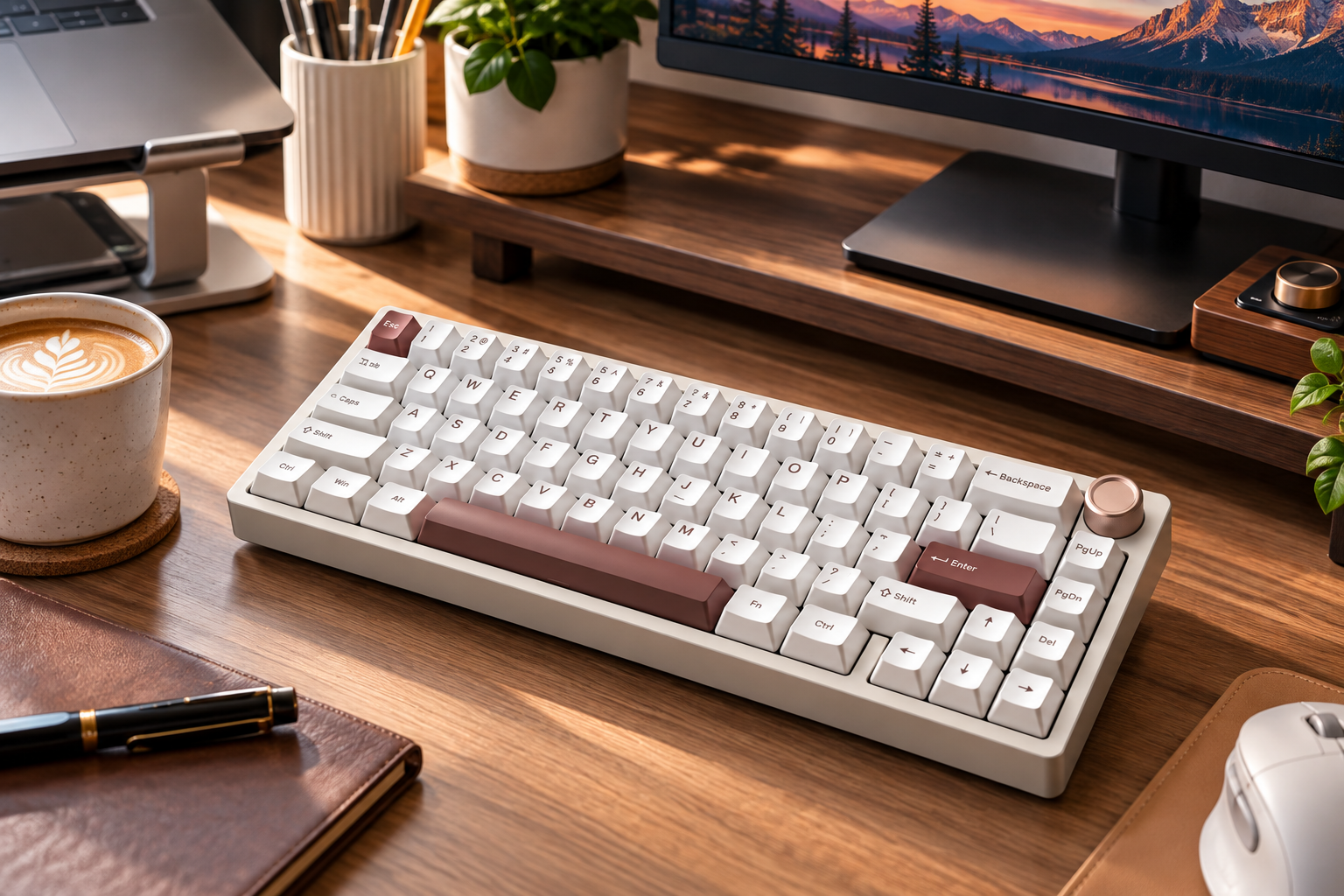
A Womier mechanical keyboard is one of the most talked-about custom-style desk upgrades on the market today. Let’s be completely honest for a second: you can technically survive on a cheap plastic membrane board, but why inflict squishy, clunky buttons upon your fingers when daily typing could feel like popping high-end bubble wrap? Every time you type out a long document on a hollow plastic layout, that squeaky sound isn’t just annoying your office colleagues—it is slowly draining your daily productivity.
If you have been itching to dive into the mechanical keyboard rabbit hole without taking out a second mortgage, exploring a Womier mechanical keyboard like the flagship Womier SK65 is easily your best entry point. This heavy-duty, all-metal board is currently being hailed across forums as a budget giant-killer. Is it actually that good, or just clever social media hype? Let’s dissect every detail.
1. How Womier Is Disrupting The Custom Mechanical Keyboard Space
A few years ago, buying a budget-friendly mechanical keyboard meant accepting thin plastic cases, blinding rainbow LEDs, and hollow metallic ping noises loud enough to wake your neighbors. Womier stepped into the scene to dismantle those stereotypes entirely.
By bringing high-end custom features—such as full CNC machined aluminum frames, multi-layer acoustic dampening foams, and factory pre-lubed switches—into accessible pre-built models, Womier changed user expectations. Most importantly, their commitment to delivering a rich, thocky “out-of-the-box” factory typing feel means you can plug it in and enjoy immediate acoustic bliss without spending four hours manually lubing switches on a Friday night.
2. Womier SK65 Deep Dive: Specs That Punch Way Above Their Weight Class
To understand why the Womier SK65 is generating so much attention in the community, take a close look at its heavy-duty hardware credentials:
| Feature | Womier SK65 Hardware Specification |
| Layout & Form Factor | 65% Compact Layout (66 Keys + 1 Tactile Metal Volume Knob) |
| Case Material | Full CNC Machined 6063 Anodized Aluminum |
| Total Weight | Approx. 1.57 kg / 3.46 lbs (Ultra-stable on desk) |
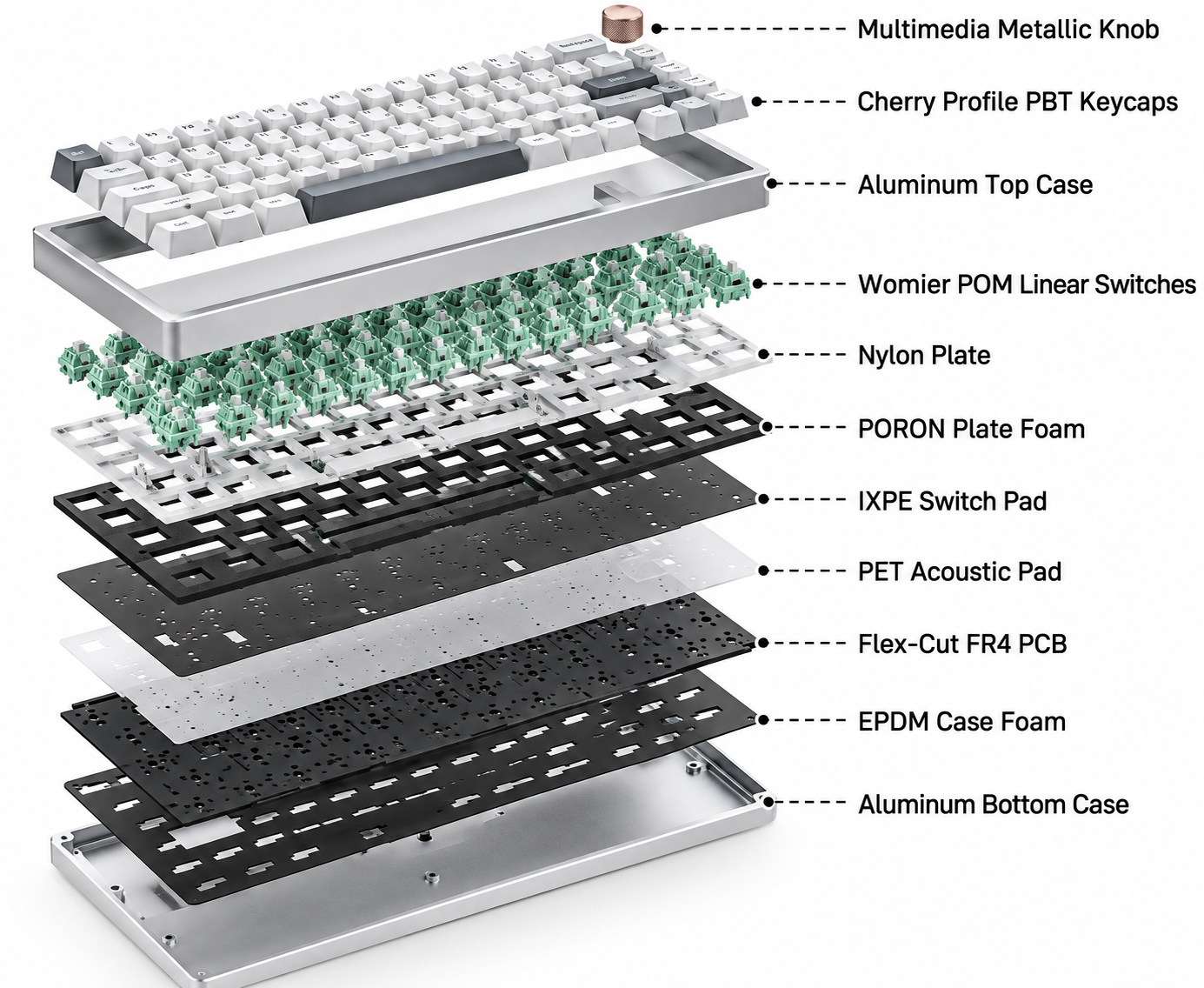
| Mounting Style | Aluminum gasket mount keyboard with 4-Layer Sound Dampening |
| Switches | Pre-lubed Womier Custom POM Linear Switches |
| Connectivity | Tri-Mode (USB-C Wired / 2.4GHz Wireless / Bluetooth 5.0) |
| PCB & Backlighting | South-facing RGB LED, Wireless hotswap mechanical keyboard (3/5-pin) |
| Battery Capacity | 3,750 mAh High-Capacity Rechargeable Battery |
Heavyweight 3.5 lbs CNC Aluminum Case: Desk Stability Unlocked
Picking up this Womier mechanical keyboard for the first time is a genuine surprise. Tipping the scales at nearly 3.5 pounds, this block of CNC-machined 6063 aluminum sits on your desk mat like a heavy anchor. Whether you are frantically clutching an eSports match or typing a last-minute business proposal, this board refuses to slide even a single millimeter.
Gasket Mount & 4 Dampening Layers: Pure Acoustic Bliss
As a premium aluminum gasket mount keyboard, the SK65 isolates typing vibrations effortlessly. Packed with four distinct layers of dampening foam—poron plate foam, IXPE switch pads, and bottom acoustic insulation—hollow interior echoes are eliminated. Instead, you get a deep, satisfying “thocky” or buttery “creamy” sound signature straight out of the factory box.
Pre-lubed POM Switches & South-Facing Hot-Swap PCB
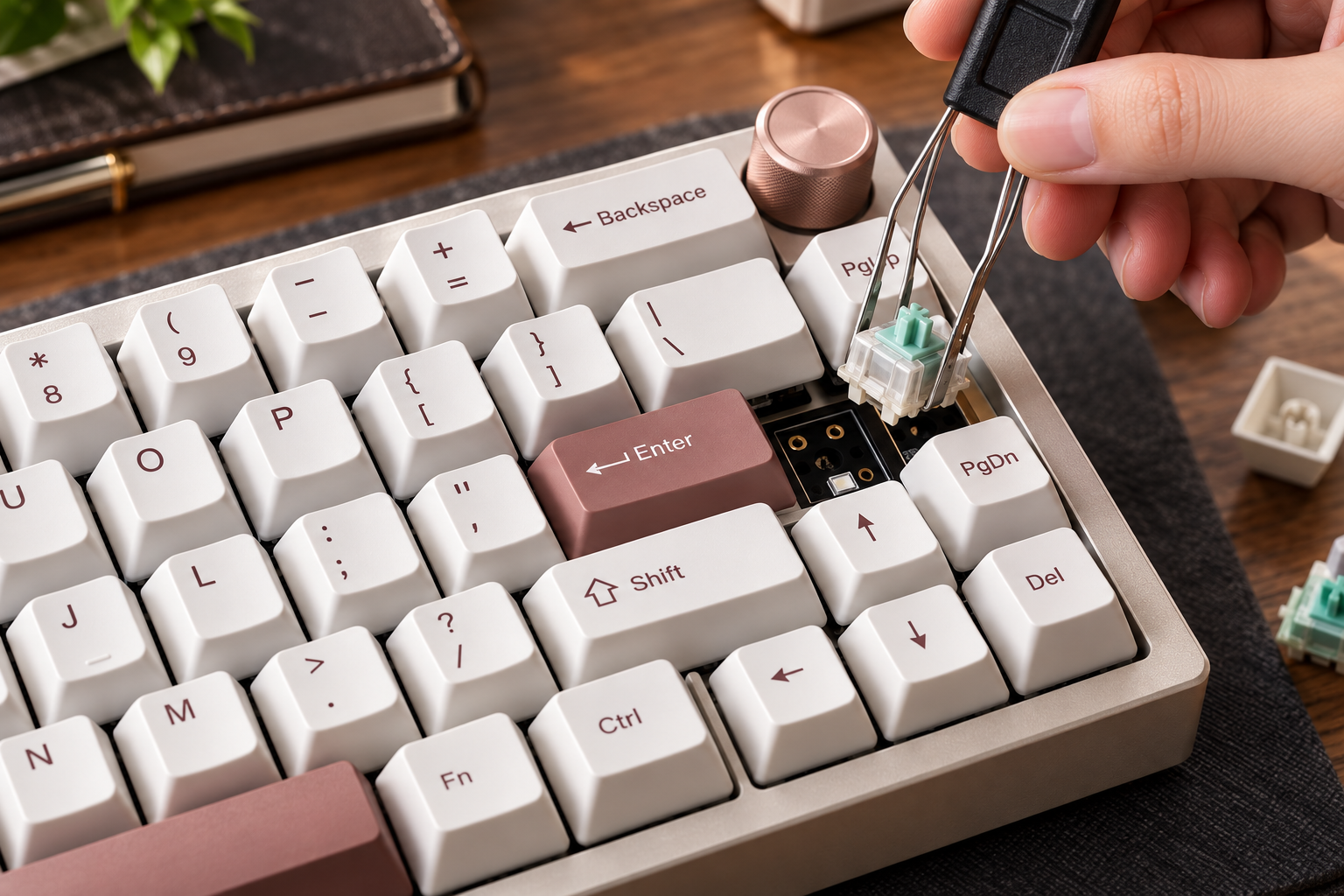
Being a versatile wireless hotswap mechanical keyboard, customizing your typing experience requires zero soldering skills. You can pull switches out and snap new ones in within seconds. The south-facing LED design also guarantees 100% keycap compatibility with Cherry profile PBT keycap sets without any physical switch housing interference.
3. Real-World Usability: Long-Term Daily Driver Experience
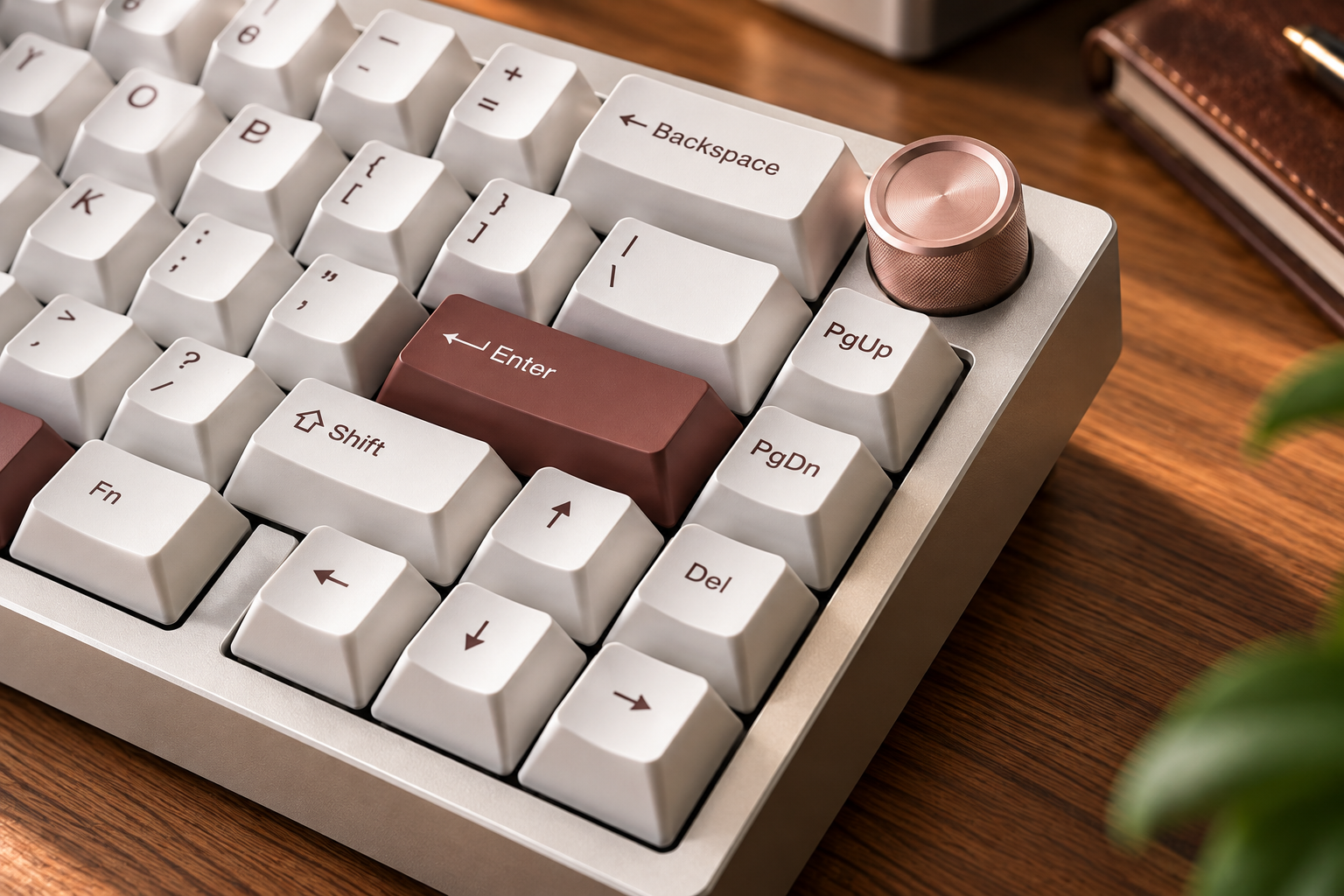
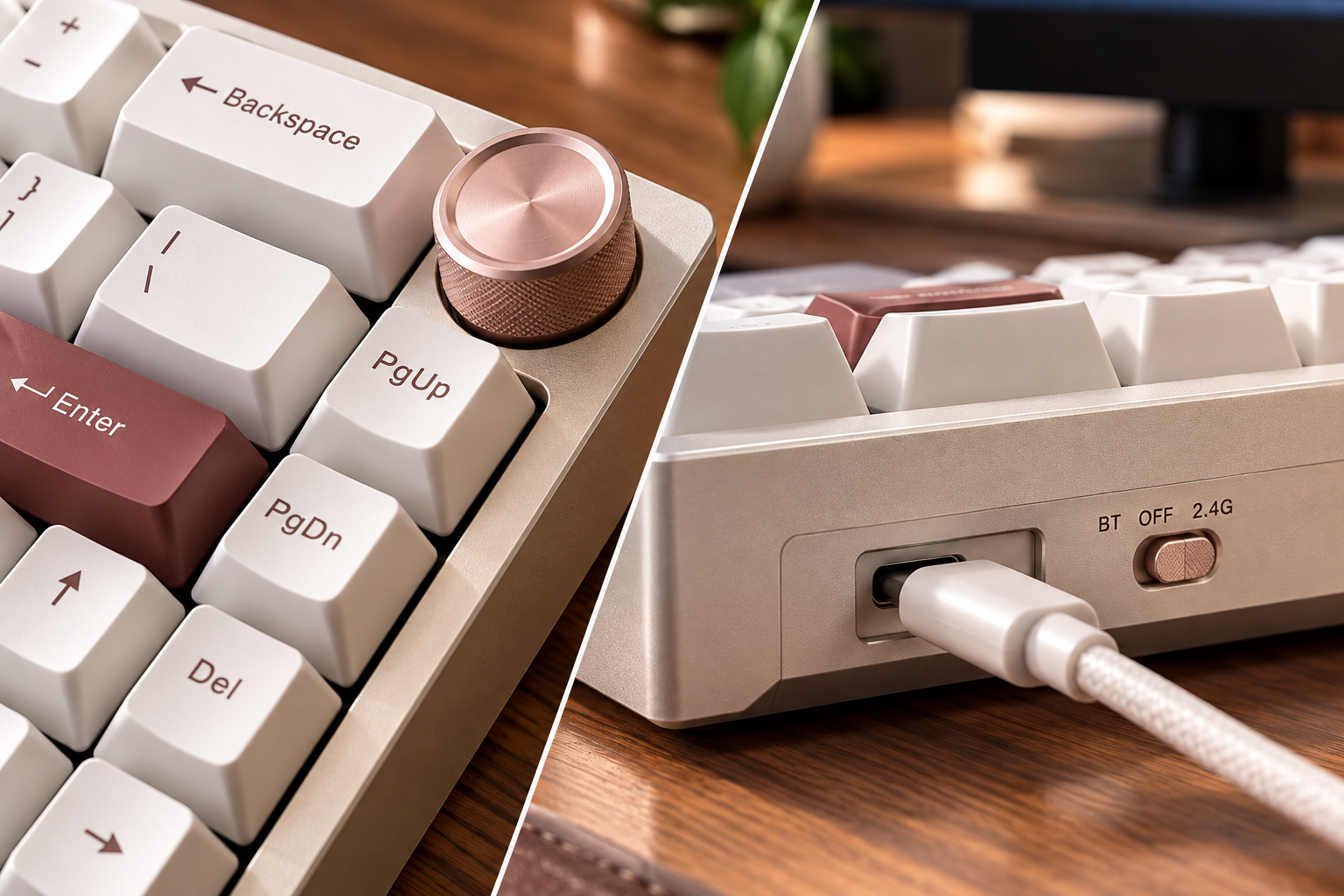
The 65% compact layout reclaims massive desk real estate for sweeping mouse movements during competitive gaming sessions while preserving dedicated arrow keys for work productivity. The tactile metal volume knob in the top corner offers effortless volume tweaks without memorizing awkward key combinations.
Switching between connection modes is smooth: use low-latency wired mode for competitive eSports, 2.4GHz wireless for a clean cable-free desk setup, or Bluetooth to pair with your laptop or tablet on the go. A simple physical switch toggle makes changing between Windows and macOS button layouts effortless, and the 3,750 mAh battery comfortably powers through multiple workdays with RGB backlighting turned on.
4. Head-to-Head Comparison: SK65 vs. Typical Alternatives
| Feature Criteria | Womier SK65 Aluminum | Entry Tray-Mount Aluminum | Typical Plastic Mechanical Board |
| Case Construction | Heavy 6063 CNC Aluminum | Thin / Cast Molded Aluminum | Lightweight ABS / PC Plastic |
| Sound Profile | Deep, Smooth, Thocky & Creamy | Pingy / Hollow reverberation | Harsh, noisy clack sound |
| Flex & Typing Comfort | Gasket Mount cushioned feel | Stiff tray-mount feel | Rigid plastic plate stiffness |
| Wireless Capabilities | Tri-Mode (Type-C / 2.4G / BT) | Often Wired Only | Single Mode or Dual Mode |
5. REALITY CHECK: Skip The SK65 If…
-
You commute daily with your keyboard: At 3.5 lbs, carrying this heavy aluminum slab in your backpack every single day is an unexpected shoulder workout.
-
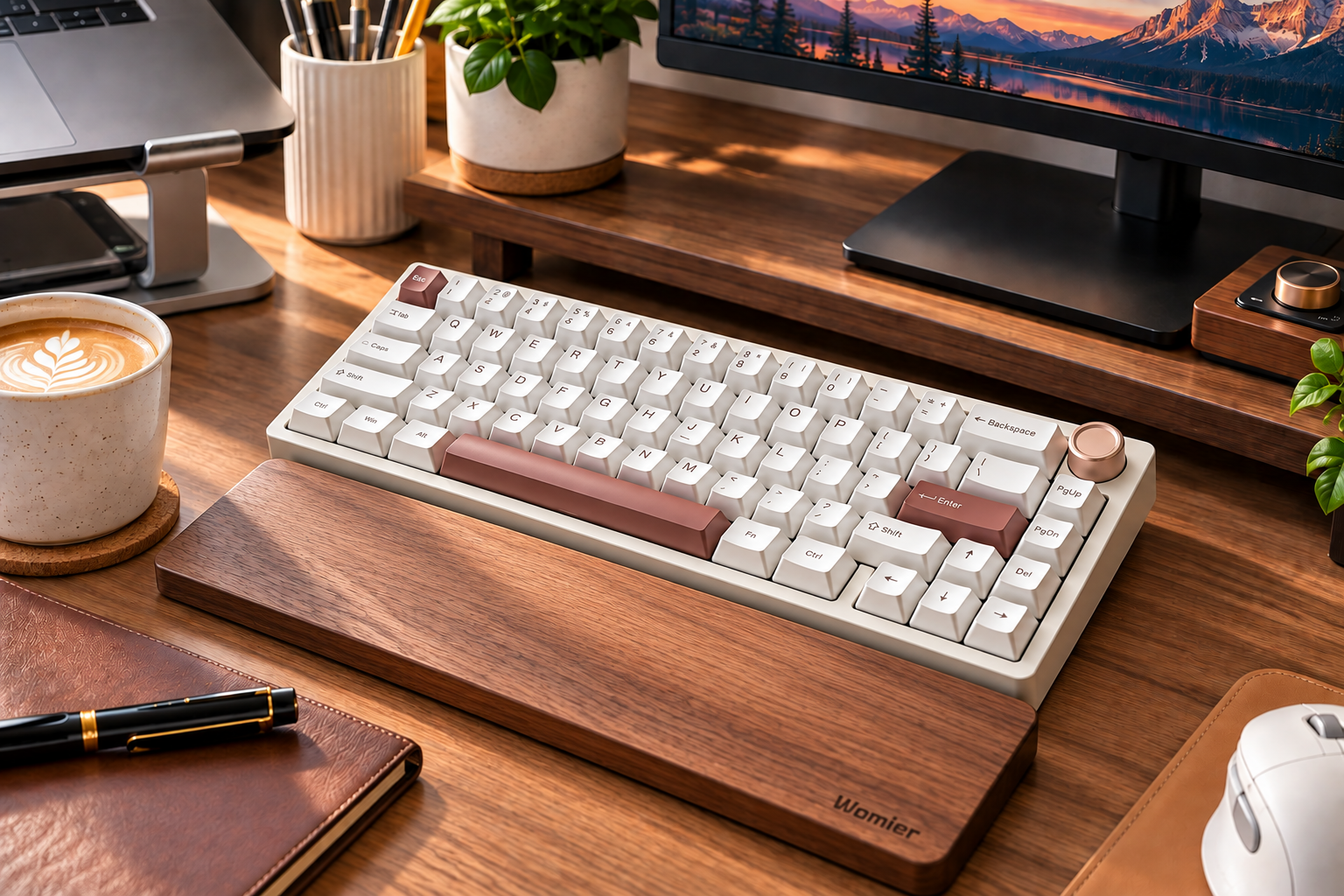
You dislike wrist rests: The aluminum front lip has a substantial profile. Pairing it with an ergonomic wrist rest is highly recommended for extended typing sessions over 4 hours.

6. Frequently Asked Questions (FAQ)
1. Is a Womier mechanical keyboard fully compatible with Mac devices?
Yes! A Womier mechanical keyboard natively supports both macOS and Windows systems. It features a dedicated hardware toggle switch and includes Mac-specific modifier keycaps out of the box.
2. What switches fit into this wireless hotswap mechanical keyboard?
The hot-swappable PCB supports virtually all standard 3-pin and 5-pin MX-style mechanical switches (including Gateron, Cherry, Kailh, Akko, and Outemu) without soldering.
3. How do I customize RGB backlighting effects on the Womier SK65?
You can quickly cycle through built-in lighting profiles using onboard FN key combinations, or download the official Womier software driver for deep custom lighting colors and key remapping macros.
Final Verdict: Is It Worth Buying?
If you want a solid, heavy-duty keyboard with buttery-smooth acoustics and premium CNC craftsmanship without paying custom boutique prices, the Womier mechanical keyboard SK65 edition is an absolute no-brainer upgrade. It turns mundane daily typing into a genuinely enjoyable physical experience.
Stop settling for noisy, hollow plastic typing. Upgrade your workspace experience today!